


siaviala Monitor PortáTil Mejorado De 15.6", Extensor Pantalla Portati 1080p IPS, Doble Pantalla Portatil, Compatible con Laptop Screen Extender de 13 a 17,3 Pulgadas
Effortless Setup. Stunning Clarity. Ultimate Portability.
Say hello to Model P5, your HD companion for crisp visuals and hassle free use! Smart, sleek, and designed for efficiency!
Key Features:
Plug & Play: Simple setup, no complicated configs
Crystal-Clear HD: Sharp, vibrant images every time
Lightweight & Compact: Take productivity anywhere
Unbeatable Value: Powerful features without the premium price
Left & Right Compatible Side Monitor: Break Free from Right-Side Limitation


Jump to your preferred Amazon store ×
| Screen Size | 15.6inch |
|---|---|
| Resolution | 1920*1080 |
| Aspect Ratio | 16:9 |
| Refresh Rate | 60Hz |
| Mountable on Laptop | DIY Detachable Display |
| Response Time | 35ms |
| Brightness | 300 nits |
| Contrast Ratio | 1000:1 |
| Viewing Angle | 180° |
| Color Gamut | NTSC 85% |
| Connections / Ports | TYPE-C*2+USB C with DP |
| Audio | 1 Speaker |
| Power Supply | No |
| Product Dimensions (cm) | 36.5x21x2.48 |
| Net Weight (kg) | 1.3 |
| Packaging Dimensions (cm) | 40x6x25 |
| Gross Weight (kg) | 2.1 |
If you’re not completely satisfied with your purchase from siaviala.com, you can return it for a replacement, exchange, or refund at any time within 30 days of purchase. Read our return policy here.
Get lifetime access to dedicated customer care — including personalized support from Siaviala at sales@siaviala.com
Download your P5 manual anytime for quick reference.
Download P5 User Manual [PDF]
Download P5 Beginner's Guide[PDF]


For 13-17.3" Laptops
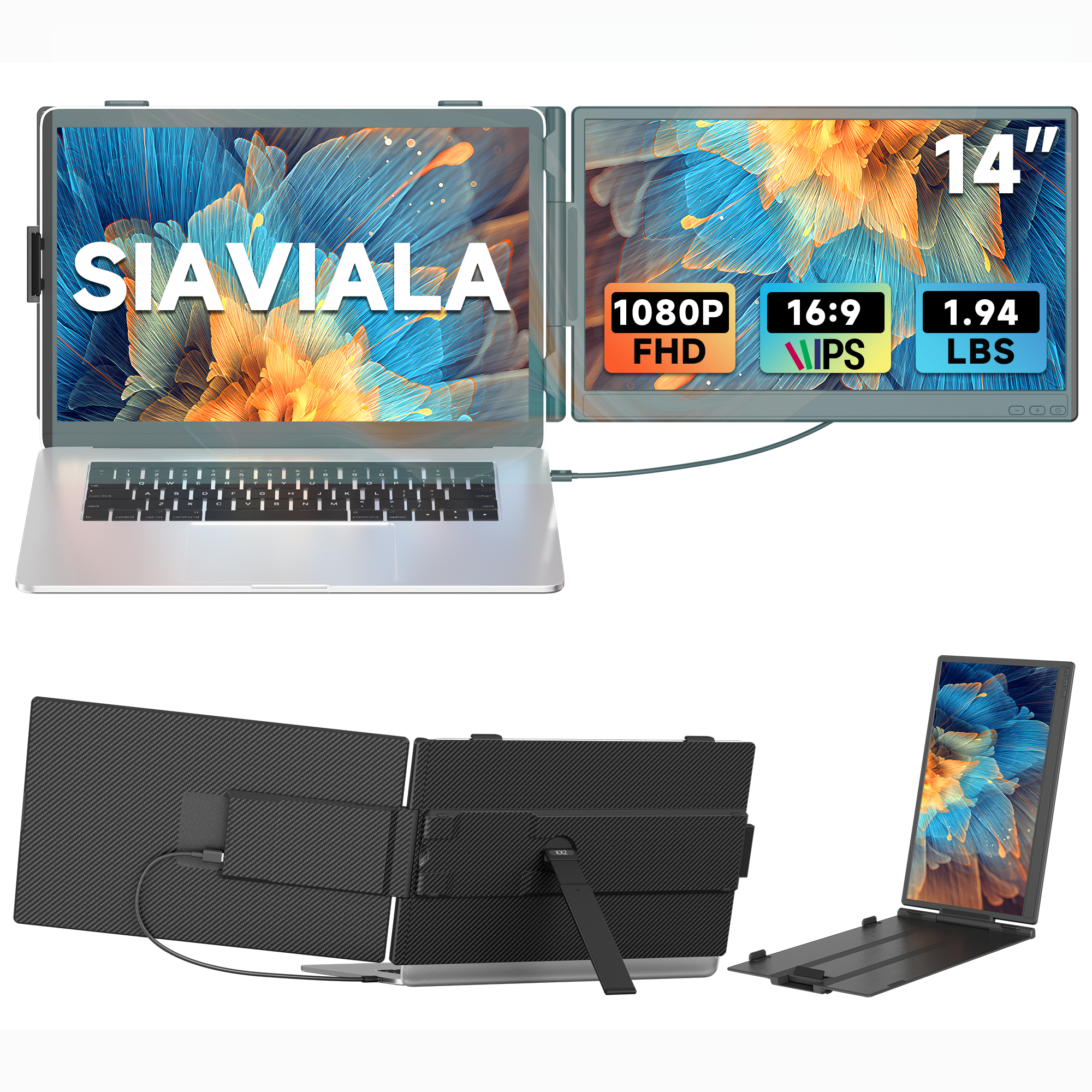
The stretchable design allows the monitor extender to reach a maximum length of 405mm/15.9 inches, suitable for 13-17.3" laptops.

Built-in Kickstand
The kickstand is equipped with a non-slip rubber bottom, enabling you to adjust the angle for a personalized viewing experience, enhancing productivity at any time.

180 rotation adjustment
The foldable and lightweight design makes it perfect for transportation. Take the portable monitor in the storage bag to create your personal laptop workstation wherever you go.


How To Connect Your Device
USB-C Connection:
If your laptop has 1 full-featured Type-C port( supports signal display and power supply), you can one USB-C to USB-C cable to connect.
HDMI + USB-A Connection:
If your laptop only has an HDMI port, you can use one HDMI to USB-C cable (signal display) and one USB-A to USB-C cable(power supply) to connect.
Note: When connecting the HDMI to USB-C cable, make sure you have connected the HDMI to USB-C cable insert in the Type-C port with "HDMI" marked on the back of the screen extender

Frequently Asked Questions
| Compatibility | Compatible with Intel, AMD, ARM, Android, Windows, Mac,M1,M2, M3, Chrome, Linux, Type-C phones, PS4, Xbox, Switch, M1 Pro/Max, M2 Pro/Max, |
| Displays "No Signal" | If it is USB-C to USB-C connection, make sure the type-c port on your laptop is a full-featured and is plugged into the right port (TYPE-C1 & TYPE-C2 marked) on the the Siaviala laptop screen extender. If it is HDMI + USB-A connection, make sure the HDMI-to Mini HDMI cable is plugged into the the right port (HDMI marked) on the Siaviala laptop screen extender. |
| Not light up after connecting | Please charge the screen extender with an additional 5V/2A power supply. |
| Screen Flickers & Black Screen | It means your laptop is low battery or voltage is insufficient, use an extra USB-A to USB-C cable to power your laptop or the monitor extender. |
Product Comparison
Compare products side by side


Swipe or use arrows to scroll horizontally